
Apple Account country or region settings should reflect where you actually live. This guide summarizes Apple's published requirements for people who have genuinely moved and need to update an existing account or create an account in their new country or region.
When Apple Account Region Settings Matter
Apps, media, subscriptions, and payment options can vary by country or region. If you have genuinely moved to a new country or region, Apple provides an official process for updating your Apple Account. Use your real identity, actual country or region of residence, a phone number you can continue to access, and truthful payment and billing information when requested. This guide summarizes Apple's published steps; the exact prompts shown to you are controlled by Apple and may vary.
Before changing region, review your Apple Account balance, active subscriptions, pending purchases or refunds, Family Sharing status, accepted payment methods, and whether content you use is available in the new region.
Before You Change Country or Region
Follow Apple's official country or region process. Before making a change, spend any remaining Apple Account balance, cancel subscriptions that block the change and wait for the subscription period to end, wait for pending memberships, pre-orders, rentals, or refunds to finish, and review Family Sharing. Apple may require a valid payment method and billing address for the new country or region. Some content may not be available after the change, so review and redownload important purchases in advance. Network type, VPN exit category, browser private mode, and third-party IP classification sites are not substitutes for Apple's requirements.
Review Apple's Official Country or Region Instructions
Official Steps for Changing Country or Region
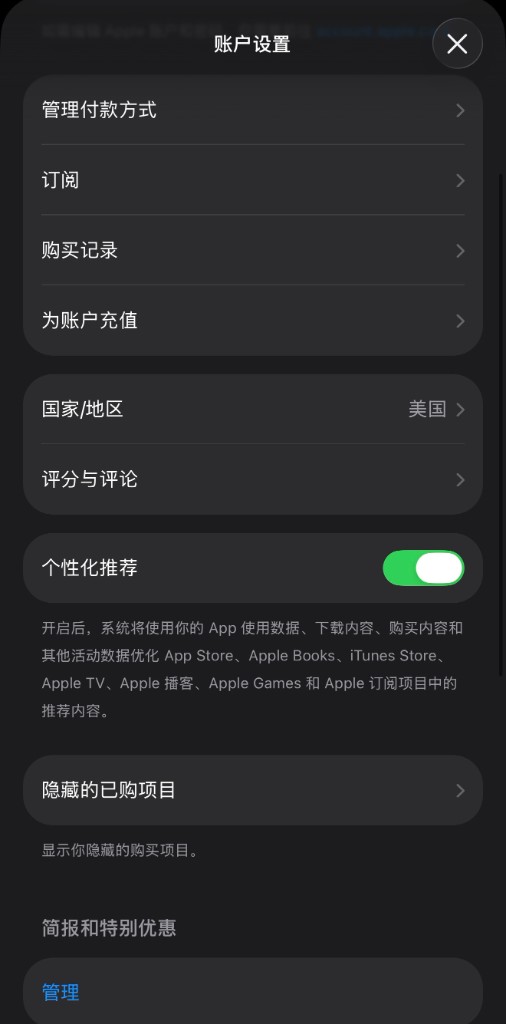
Apple's current support instructions provide options on iPhone or iPad, Mac or Windows, and the web. The labels and available choices may vary by device, software version, account state, and country or region.
- Sign in to the Apple Account that belongs to you.
- Open the country or region settings using the path shown in Apple's official instructions.
- Select the country or region where you actually reside and review the applicable terms.
- Enter a valid payment method and billing address when Apple requests them.
- Review subscriptions, purchases, Family Sharing, and content availability after the change.
Creating an Account After a Genuine Move
If you need a new Apple Account after moving, follow Apple's official account-creation instructions. Apple states that if you do not want to enter a payment method, you should wait until you are physically in the new country or region before creating the account.
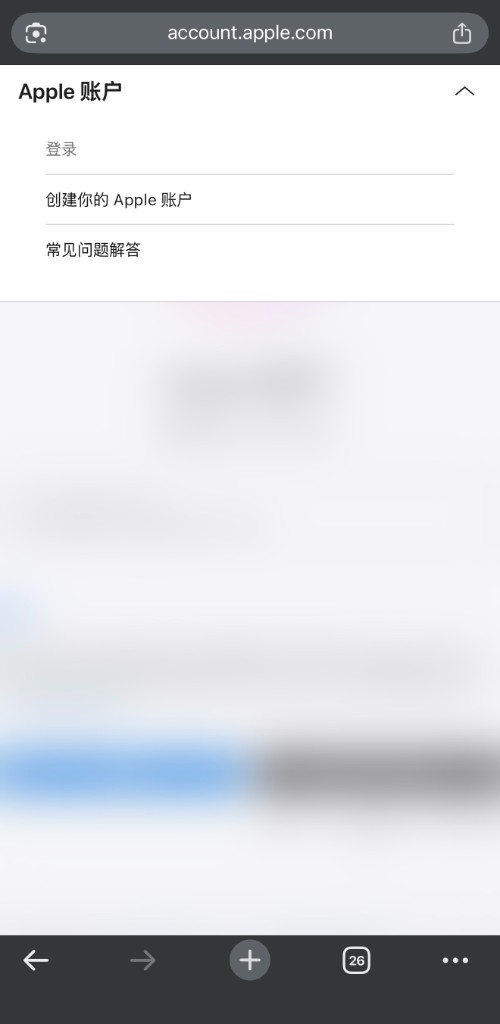
Visit account.apple.com or use the account-creation option shown on your Apple device.
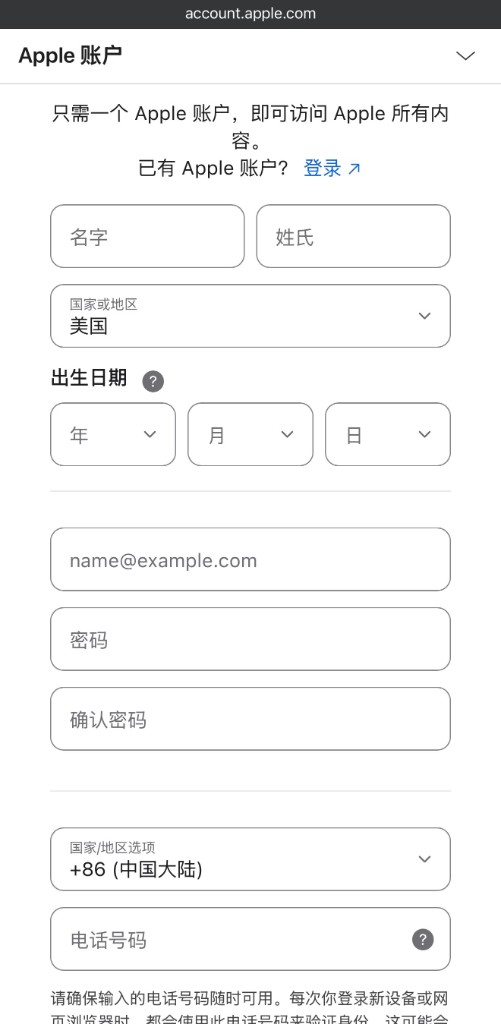
Enter your real first and last name, your actual date of birth, an email address you control, and a phone number you can continue to access. Select your actual country or region of residence. If Apple asks for payment or billing information, enter truthful information that is valid for that country or region. Follow the onscreen password and verification requirements.
Payment and Billing Requirements
Follow the payment and billing prompts shown by Apple. A valid payment method and billing address for the new country or region may be required. Apple states that if you do not want to enter a payment method, you should wait until you are physically in the new country or region before creating a new Apple Account. Gift cards must match the relevant store country or region and should be obtained only from Apple or an authorized retailer. A gift card does not replace Apple's account eligibility or billing requirements.
After You Update Your Account
Verify your email address and phone number, enable two-factor authentication, use a strong unique password, keep your trusted phone number and recovery information current, and review subscriptions and content availability after the region change. Follow Apple's prompts if an app, purchase, or subscription is not available. Do not attempt to simulate activity or alter network signals to influence account review.
Refund requests can be submitted through reportaproblem.apple.com when the option is available. Eligibility, review time, refund method, and outcome are determined by Apple and applicable law; approval is not guaranteed.
Learn about RelyVPN's privacy and network features. A free tier is available; plan limits apply.
FAQ
What should I review before changing my Apple Account country or region?
Apple instructs users to spend any remaining balance, cancel subscriptions that block the change and wait for the subscription period to end, wait for pending memberships, pre-orders, rentals, or refunds, and review Family Sharing. A valid payment method and billing address may be required. Some content may not be available in the new region, so review and redownload important purchases before changing. The effect on iCloud and media access depends on the services, account state, and Apple's current rules.
Will Apple require a payment method when I change region?
Apple may require a valid payment method and billing address for the new country or region. Follow the onscreen instructions and Apple's official support page. Do not use VPN or IP classification as a substitute for the stated requirements.
What should I do if I do not receive Apple's verification code?
Use a phone number that belongs to you and that you can continue to access for account recovery. Confirm that the number and country code are correct, wait before requesting another code, check whether your carrier allows international SMS, and contact your carrier or Apple Support if the problem continues. Do not use a borrowed or temporary number.
Should I change my existing Apple Account country or region?
If you have genuinely moved, review Apple's official country or region change instructions first. You may need to spend your balance, cancel subscriptions that block the change, wait for pending transactions, leave Family Sharing, and provide a valid payment method and billing address for the new region. Apple states that a new account without a payment method should be created only after you are physically in the new country or region.
Can Media & Purchases use a different Apple Account?
Apple devices can support separate sign-in contexts in some configurations, but purchases, subscriptions, updates, and content access remain associated with the relevant account and region. Follow Apple's official support instructions and do not create a secondary account solely to bypass regional availability.
Bottom Line
Use accurate account information and follow Apple's official country or region process. Requirements and content availability are determined by Apple and may vary by account and location. Contact Apple Support if the published steps do not resolve the issue.